Skip to content

Your worlds, ready.

A calmer home for Minecraft: Java Edition. Keep every game in its own place, find mods and packs that fit them, and press Play.

Version 1.9.0 · Windows 10 and 11 (x64) · 5.11 MiB · Released 8 Oct 2026 · Release notes

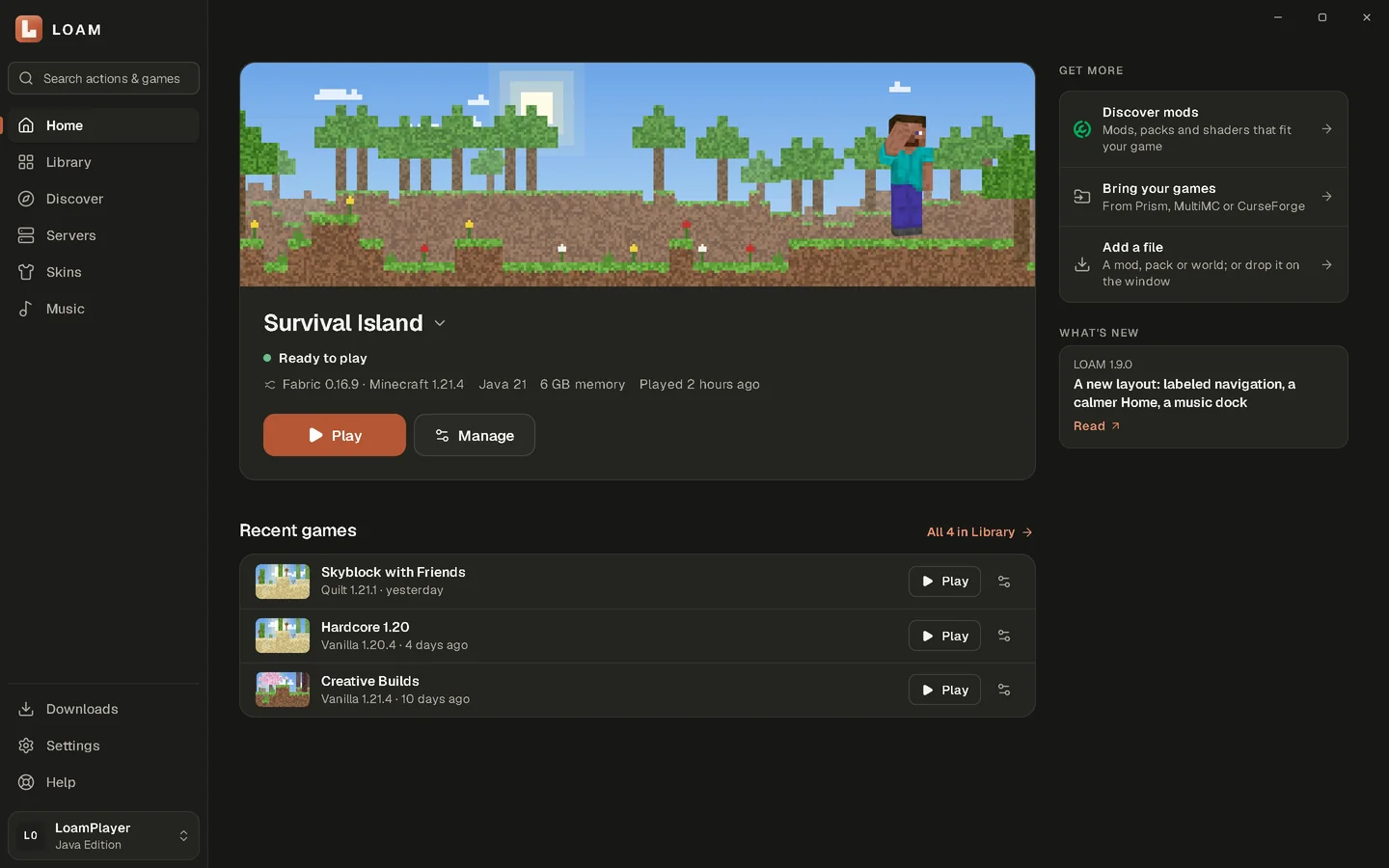
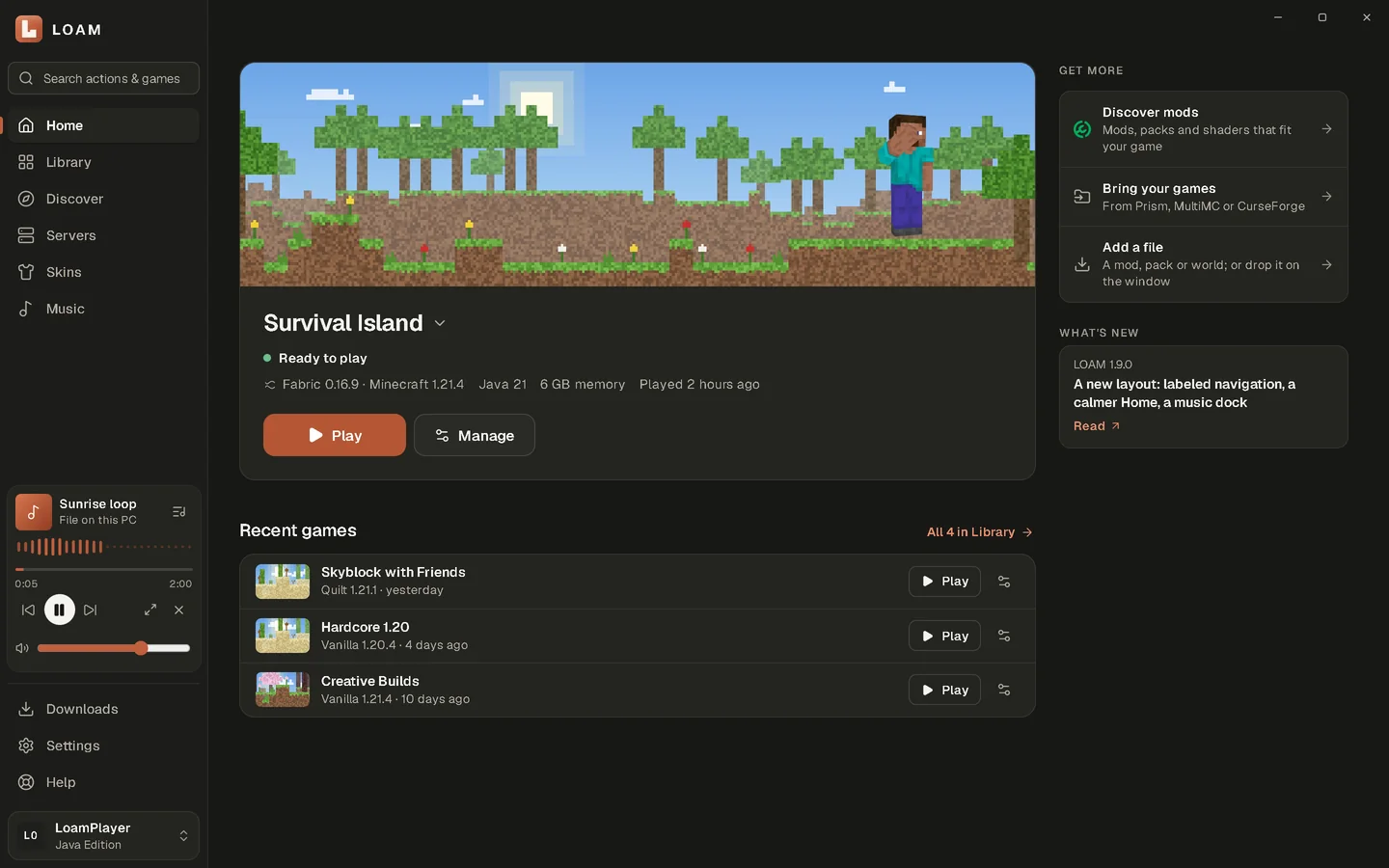
LOAM's Home screen with the selected game, its details and a Play button

A closer look

Six places, one calm app. These are real screens from LOAM 1.9.0, shown with sample games.

Home: the selected game with its details and Play button, and the music player in the sidebar

Your next game, one clear action.

Its version, loader, Java and memory at a glance, then Play.

What LOAM does

Everything below ships in LOAM 1.9.0.

Play and organize

Pick a game. Press Play.

Home shows the game you'll play next and everything that matters before you launch it.

  • Choose a game from its name on Home and see its real state: ready, installing with measured progress, or running.
  • Version, loader (Vanilla, Fabric or Quilt), Java and memory are shown before you press Play.
  • The Library keeps every game in its own folder, with covers, pins and filters.
  • Bring games from Prism Launcher, MultiMC or CurseForge without changing the originals.
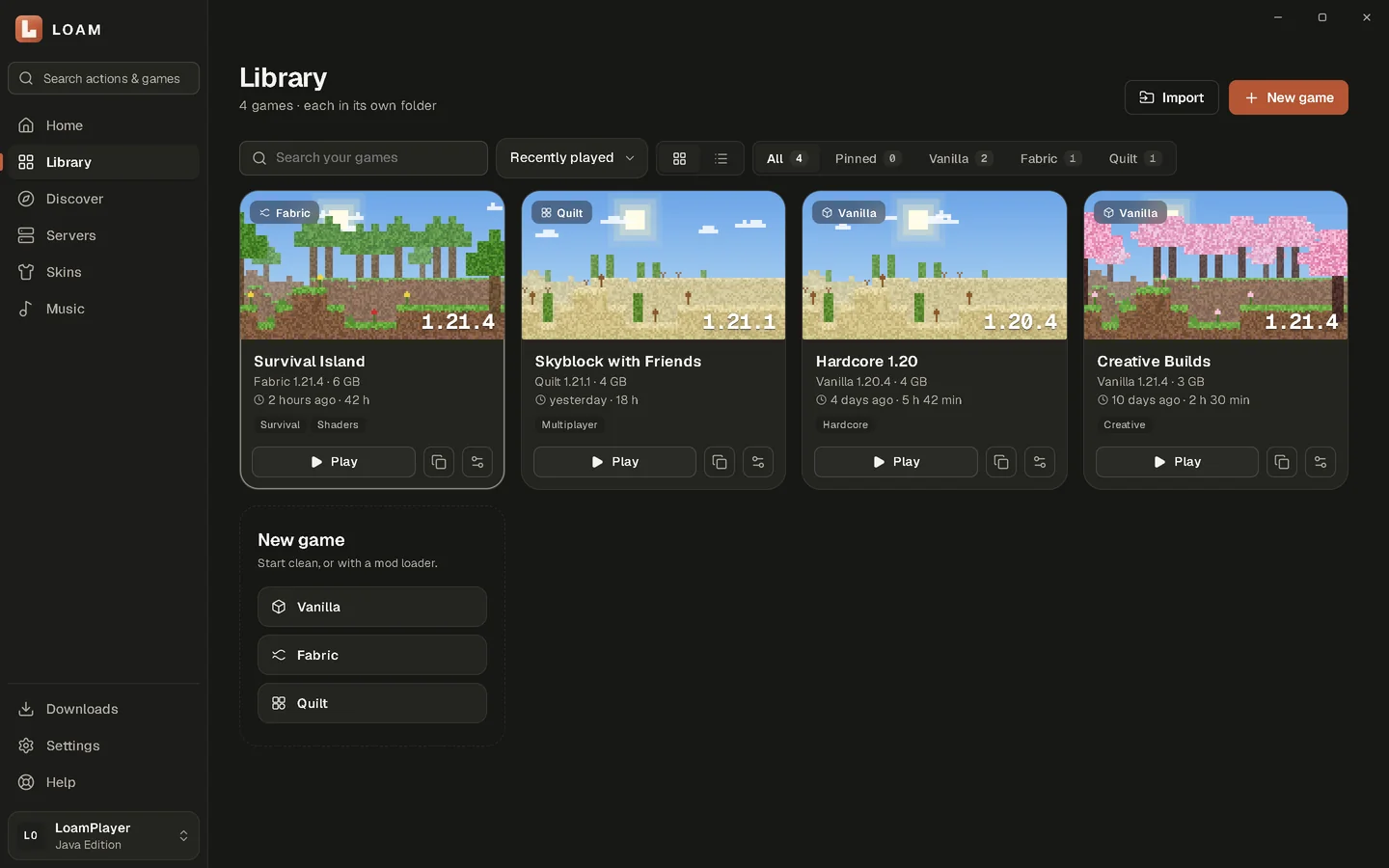
LOAM's Library with game cards, covers and filters

Discover and install

Mods and packs that fit.

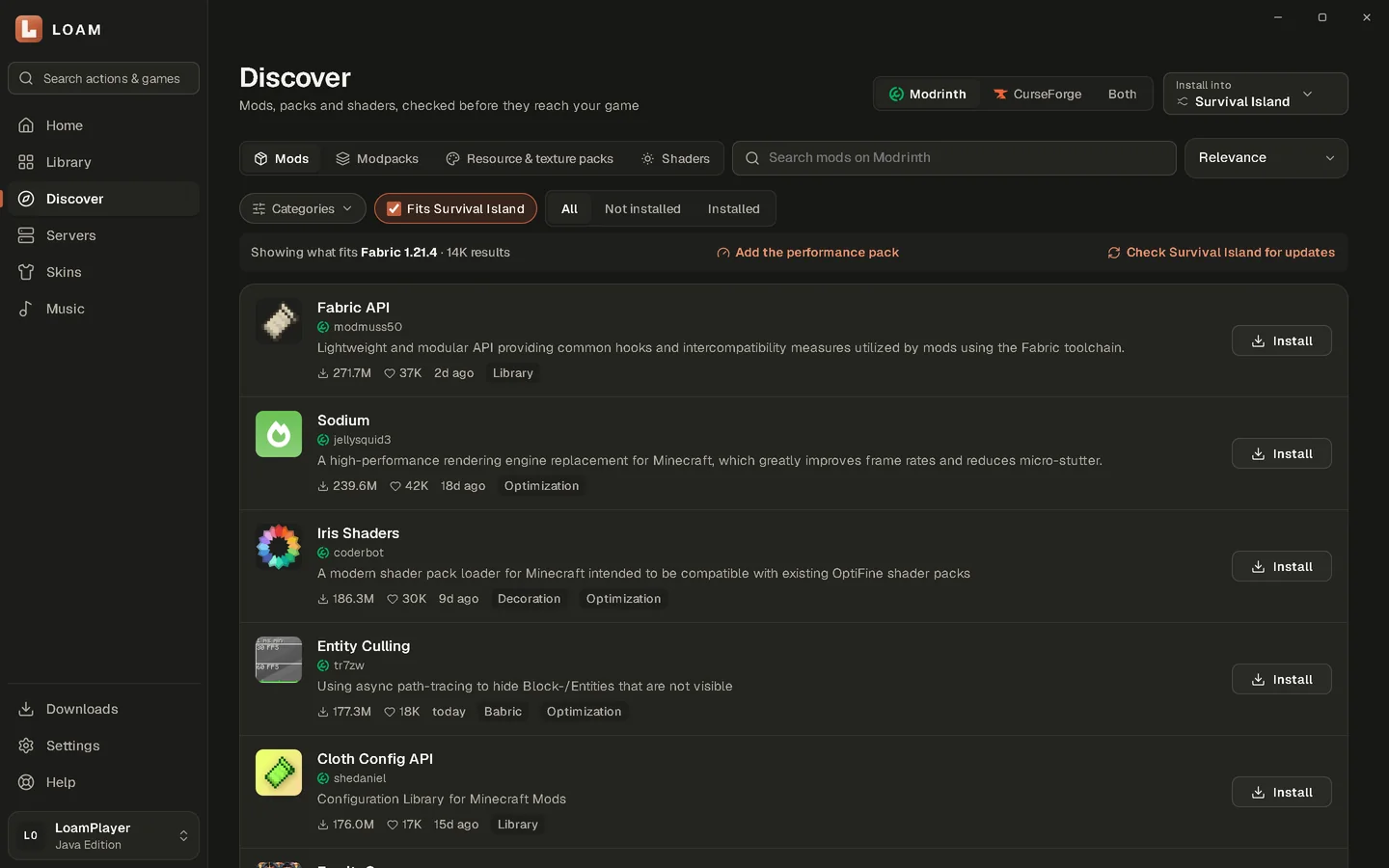
Search Modrinth and CurseForge from inside LOAM. Results are filtered to the game you're installing into.

  • Modrinth is built in. CurseForge works with your own free API key, and Both shows the two side by side.
  • Mods, Modpacks, Resource & texture packs and Shaders.
  • 'Fits your game' keeps results to the right Minecraft version and loader; add categories and hide what's installed.
  • Required mods are installed with the one you pick, and Update all refreshes a game in one go. Files whose authors only allow downloads from CurseForge are marked.
Discover with category chips, the 'Fits your game' filter and mod results

Personalize

Make it feel like yours.

Themes, landscapes and skins, without digging through menus.

  • Light, Dark, OLED Black or your system theme, plus interface size and motion settings.
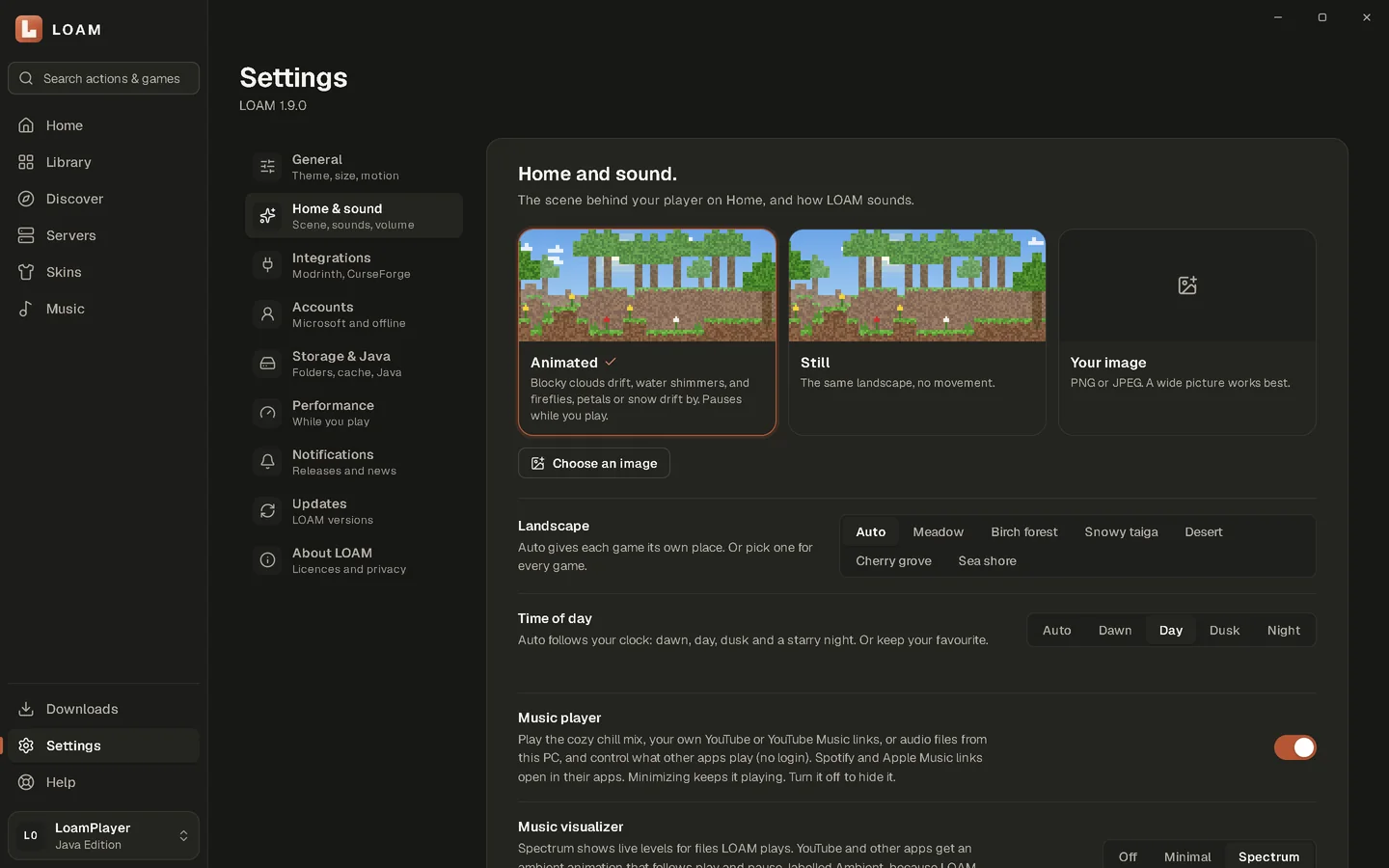
  • Pixel landscapes for Home and every cover, in six biomes and four times of day, animated or still.
  • Preview skins in 3D, keep them in LOAM, or apply them to your Microsoft account.
Settings for Home and sound, with landscape and time-of-day choices

Listen

Music while you build.

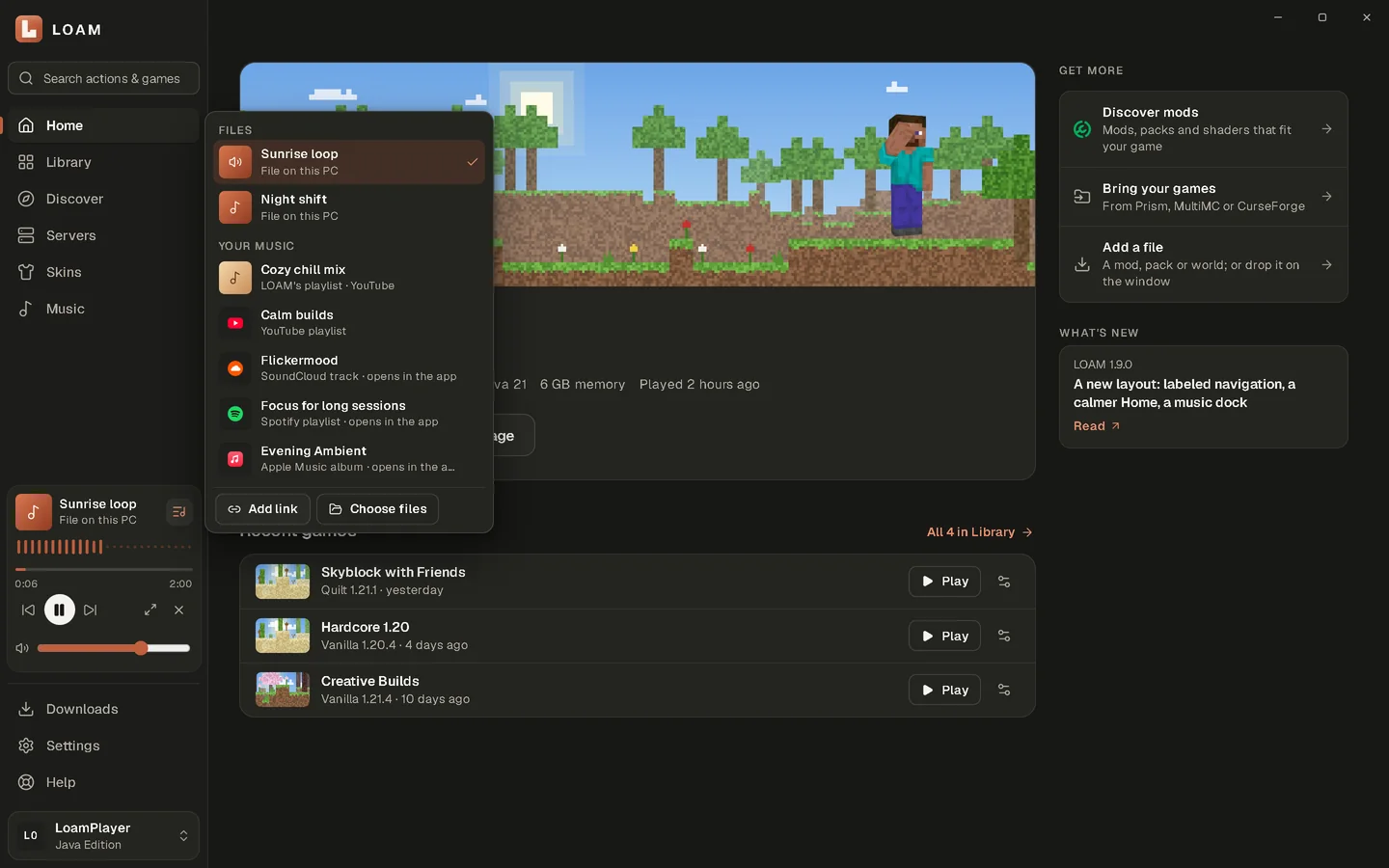
Music sits in one small player while you browse, and keeps playing when you switch pages.

What LOAM does with each music source
SourceWhat LOAM does
YouTube and YouTube MusicPlays inside LOAM in YouTube's own player, which stays visible while it plays
Audio files on your PC (MP3, M4A, Ogg, WAV, FLAC)Plays inside LOAM, with a real spectrum visualizer
SpotifySaves the link and opens it in the Spotify app or web player
Apple MusicSaves the link and opens it in Apple Music
Other music appsPlay, pause and skip through Windows media controls

Spotify and Apple Music playback happens in their own apps and depends on your account there. LOAM never records your PC's sound.

The music player card in LOAM's sidebar with its playlist open

Download LOAM

Free for Windows 10 and 11. Minecraft: Java Edition is a paid game, sold separately.

SHA-256 checksum
FCE385344A077A515F14925359002E4070873E3D65BDCDAFB8A1EFAB04292BE4

In PowerShell, in the folder you downloaded to:

Get-FileHash .\LOAM-Setup-1.9.0-Windows-x64.exe

Version
1.9.0
Platform
Windows 10 and 11 (x64)
Size
5.11 MiB (5,361,244 bytes)
Released
8 Oct 2026
Installer
Per-user, no administrator prompt (uses WebView2)
Signing
Not code-signed. Windows SmartScreen may warn; check the SHA-256 below.

Questions

Still stuck? Help, Support or Discord.